
Overview
How does Kuali manage changes?
During and after the approval process, users need a way to see what data has been changed in their curriculum. Kuali Curriculum Management has a way for users to easily view these changes. The application automatically shows the proposed changes next to the existing data so approvers and proposers can tell what has been changed on a proposal and check for any potential issues or errors.
What happens when I make changes to my course/program?
When a proposal is created from existing curriculum, the system manages and displays changes so users can quickly identify the differences between the proposal and the active item. If changes are made to an existing course/program, the edits can be see in View Mode. For most fields, user will be able to see the proposed changes in a yellow box marked as "proposed" next to the existing data in a blue box marked as "existing".
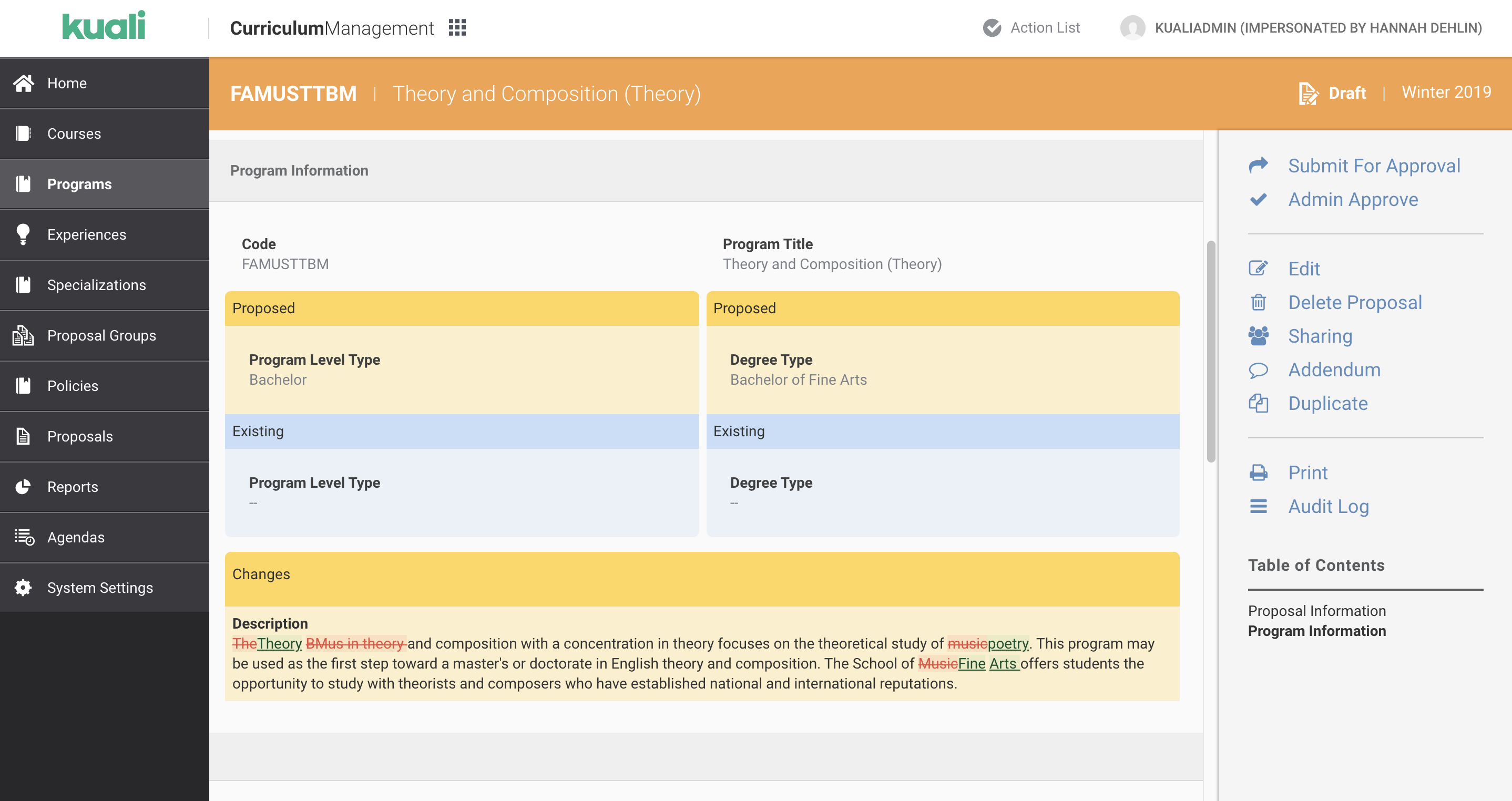
Example of typical display pattern for viewing changes to curriculum.
In text areas and rules, the exact changes are displayed next to each other when a feature flag is enabled. All proposed changes are displayed in a yellow box labeled "changes". Proposed additions are displayed in green and the data being deleted is red and crossed out.
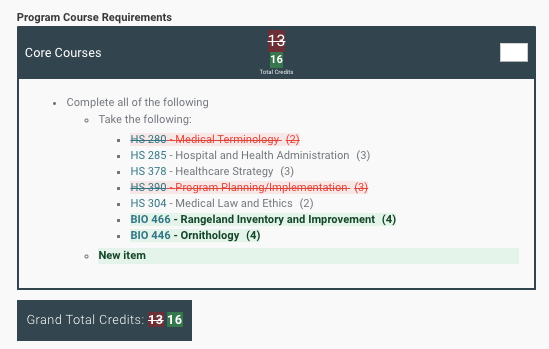
Example of viewing changes to rules.
Viewing Changes
How do I change my institution's settings for viewing changes?
To change your institution's settings for viewing curricular changes, please submit a request.
Comments
0 comments
Article is closed for comments.