
Overview
Why would a system administrator pause workflow submissions?
System administrators can temporarily pause workflow submissions to accommodate black-out dates, training periods, and system maintenance.
Will pausing workflow submissions affect a user's ability to access the application?
No. Pausing submissions will only affect a user's ability to submit a proposal to workflow for review. All other elements of the system will continue to function as normal including the ability to create new and edit existing proposal drafts.
How will users knows submissions are paused?
Upon the first attempt to access a draft in a given session, users will see the following modal displayed informing them that proposal submissions are currently paused:
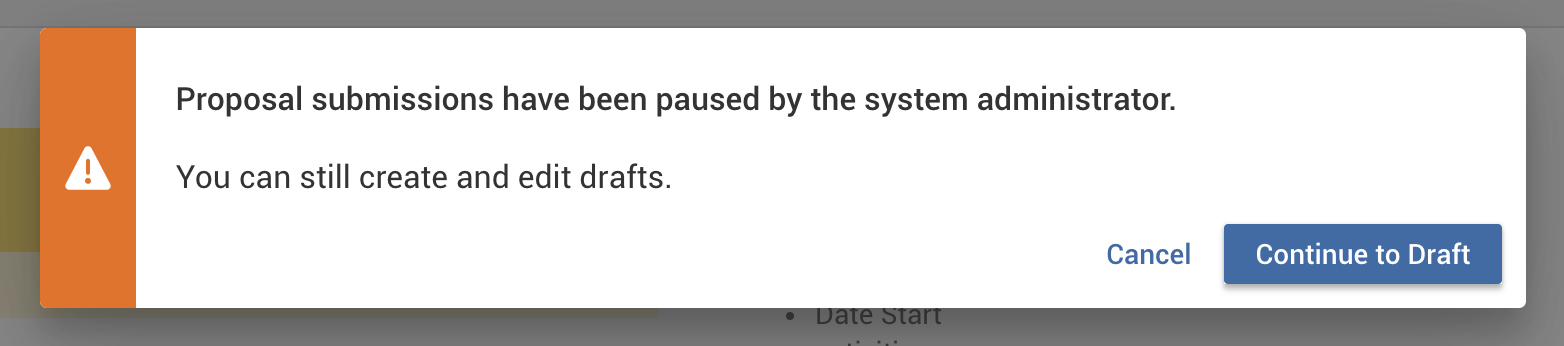
After accessing a draft and viewing the messages, users will no longer see the modal appear until the next time they log in to the application.
From within a draft, users will see the following displayed when attempting to submit a proposal to workflow for review.
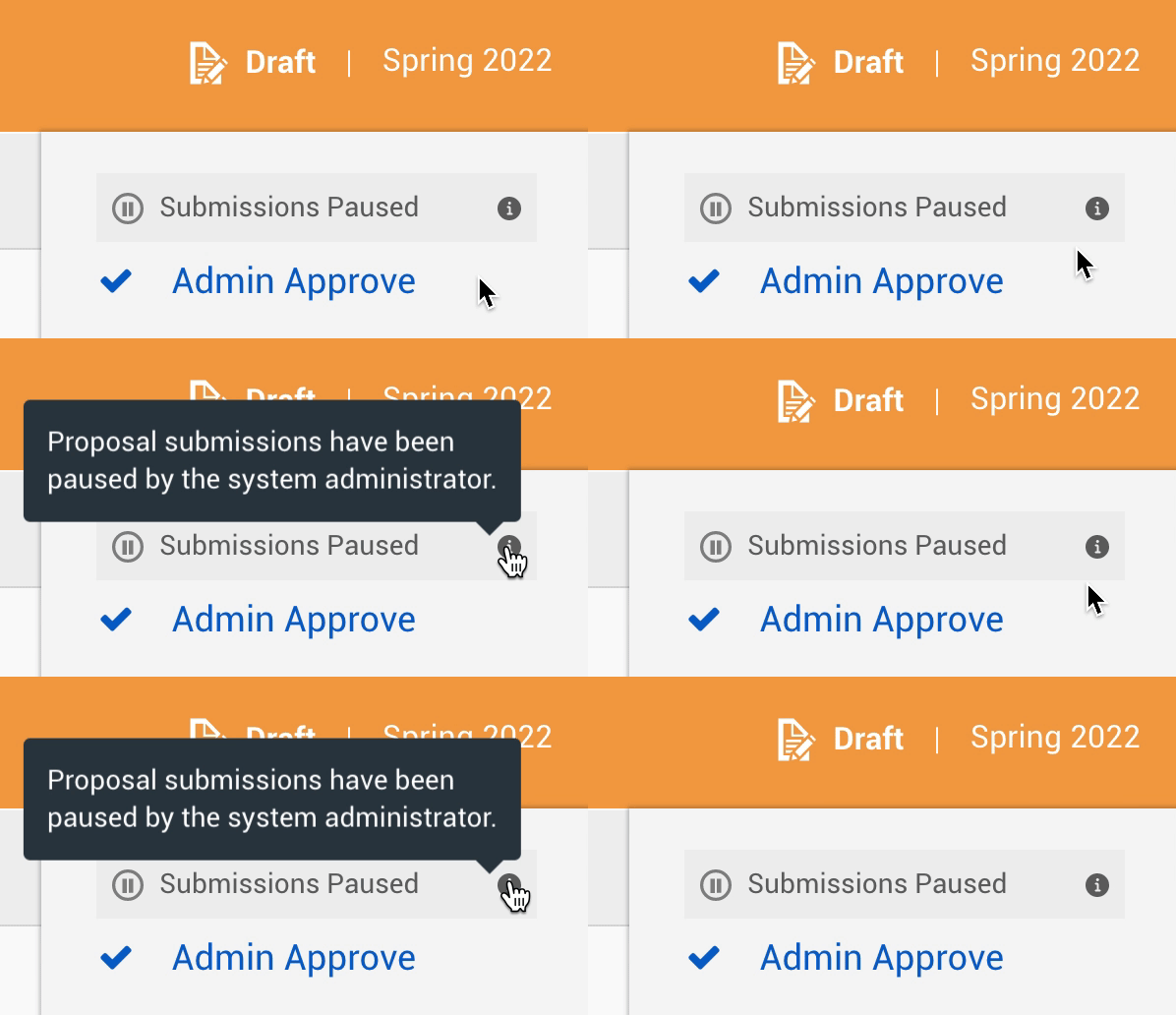
Are the messages users will see configurable?
No. Currently, the messages presented when submissions are paused are predetermined.
What happens to proposals under review when submissions are paused?
Proposals already submitted to workflow will be unaffected by enabling pausing submissions. Proposals under review will still be able to be approved, sent back, etc., but new proposals will not be allowed to be submitted for review.
Pausing Proposal Submissions
Pause proposal submissions
Reenable proposal submissions
How do I enable pausing submissions to workflow?
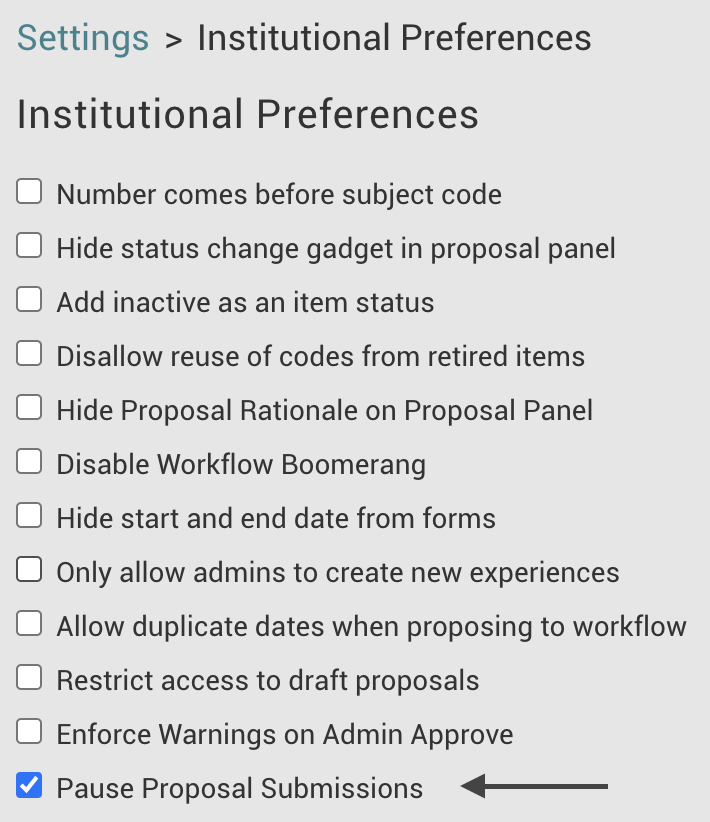
- Click System Settings in the navigation panel.
- Click Institutional Preferences in the Admin Settings menu.
- Click the checkbox in line with Pause Proposal Submissions.
How do I reenable proposal submissions to workflow?
- Click System Settings in the navigation panel.
- Click Institutional Preferences in the Admin Settings menu.
- Click the checkbox in line with Pause Proposal Submissions.
Comments
0 comments
Article is closed for comments.